

Ask an AI about this page
 ChatGPT
 Claude
 Perplexity
 Google AI Mode
 Microsoft Copilot
 Grok
Grok Mistral Le Chat
Check your Direct Debit e-Mandates
An e-Mandate is your customer’s electronic approval for you to collect money from their bank account on a schedule. The account can be a current, savings or credit card account. The e-Mandate list in the merchant dashboard shows every one made through your account, and the e-mandate checker looks up the status of one.
Open the e-Mandate list
Section titled “Open the e-Mandate list”Do this to see all your customers’ e-Mandates in one place.
-
Sign in to the merchant dashboard. See Sign in.
-
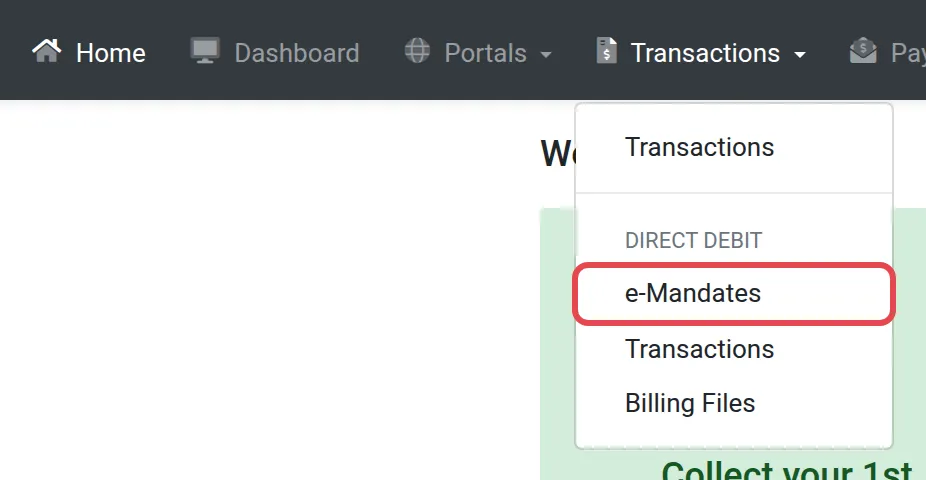
Select Transactions in the menu at the top left of the dashboard.
-
In the drop-down, under Direct Debit, select e-Mandates.
-
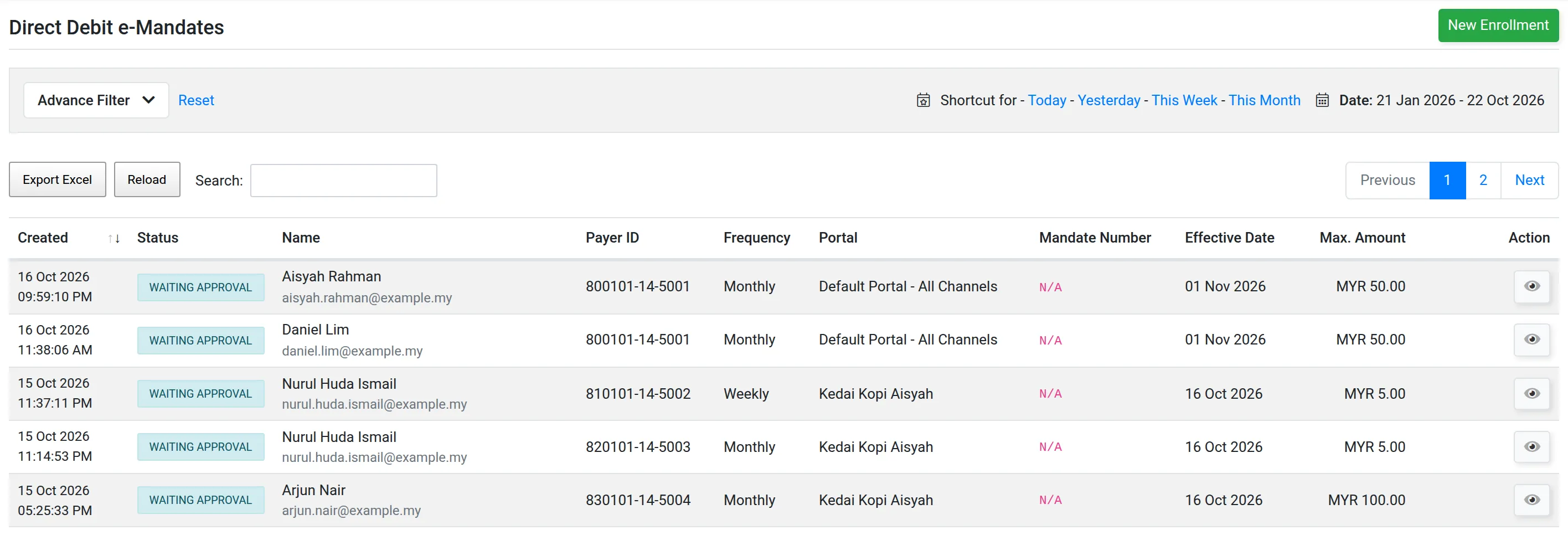
The page lists every Direct Debit e-Mandate made through your account.
Check the status of an e-Mandate
Section titled “Check the status of an e-Mandate”Use the checker when a customer asks whether their e-Mandate is active.
- On the e-Mandates list, select the e-mandate checker button.
- Follow the screen to look up the e-Mandate.
e-Mandate statuses
Section titled “e-Mandate statuses”An e-Mandate moves through these statuses.
| Status | What it means |
|---|---|
| New | Created, the customer has not finished yet. |
| Waiting Approval | Sent to the bank, waiting for its answer. |
| Failed Bank Authorization | The bank did not authorise it. |
| Active | Approved. Deductions can run. |
| Terminated | Ended. No more deductions. |
| Rejected | The bank rejected the application. |
| Cancelled | Cancelled before it became active. |
To end an e-Mandate, see Change or end a Direct Debit. To see the payments collected, see Direct Debit transactions.
For developers
Section titled “For developers”The API can enrol, list, change and terminate e-Mandates. See Developers and the API reference.
Common issues
My customer says they approved the e-Mandate, but I see Waiting Approval.
The bank can take several days to confirm. Bayarcash updates the status when the bank replies. See When Direct Debit deductions happen.
What does Failed Bank Authorization mean?
The customer's bank did not authorise the e-Mandate. Ask the customer to start a new enrolment.
Do I set up recurring payments for WooCommerce or GiveWP here?
No. Recurring payments are set up in the plugin. See WooCommerce and GiveWP. This page is for checking e-Mandates afterwards.
Was this article helpful?
Thanks for your feedback.
Sorry this didn't help. WhatsApp us and we'll sort it out with you.