

Ask an AI about this page
 ChatGPT
 Claude
 Perplexity
 Google AI Mode
 Microsoft Copilot
 Grok
Grok Mistral Le Chat
Sign in to the merchant dashboard
Sign in to the merchant dashboard to see your transactions, payouts, portals and API keys. Use the email address you registered with Bayarcash.
Sign in
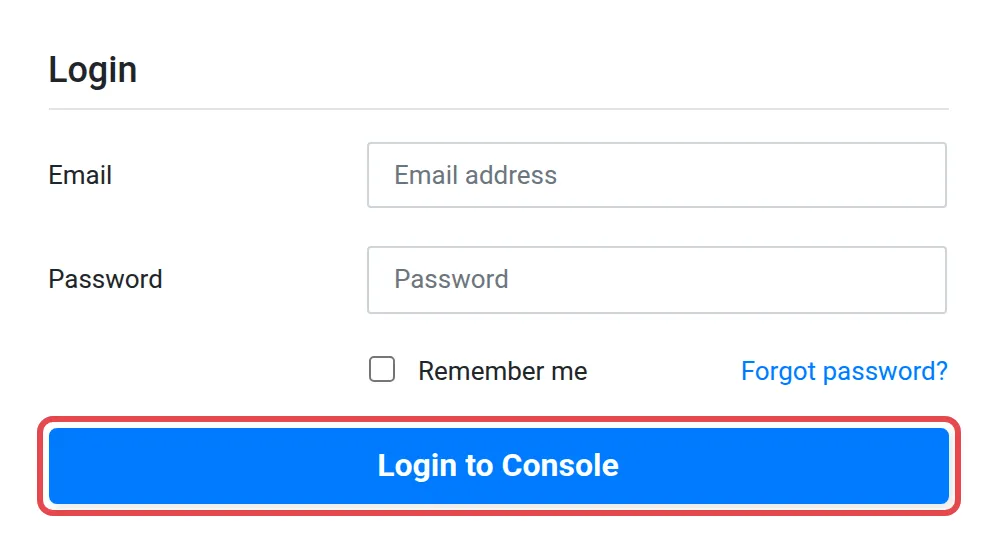
Section titled “Sign in”You need your registered email and your password. To sign in:
- Go to console.bayar.cash/login.
- Enter your email and password.
- Choose Login to Console. Your dashboard opens.
First time signing in
Section titled “First time signing in”If it is your first time, set your own password first, then sign in. See Reset or change your password and follow the steps for a forgotten password.
Testing in the sandbox
Section titled “Testing in the sandbox”Developers can test without real money on the sandbox merchant dashboard at console.bayarcash-sandbox.com. It has its own API keys. See Find your API keys.
Common issues
I cannot sign in. What should I do?
Check that you are using the email you registered with Bayarcash, then reset your password. See Reset or change your password.
Is this the same login as BCL?
No. The merchant dashboard at console.bayar.cash and BCL at bcl.my have separate logins. See What is Bayarcash.
Was this article helpful?
Thanks for your feedback.
Sorry this didn't help. WhatsApp us and we'll sort it out with you.