

Ask an AI about this page
 ChatGPT
 Claude
 Perplexity
 Google AI Mode
 Microsoft Copilot
 Grok
Grok Mistral Le Chat
Payouts to your bank account
Bayarcash collects payments from your customers and settles them to your bank account. Each payout has a status that tells you where it is in the settlement process.
Check your payouts
Section titled “Check your payouts”-
Open the merchant dashboard.
-
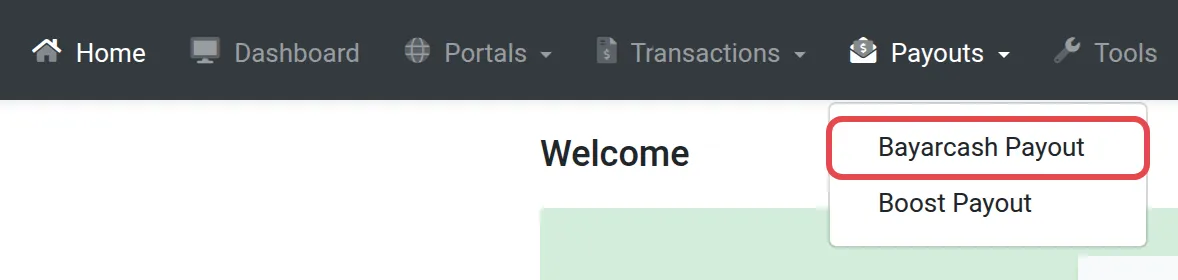
In the top menu, choose Payouts, then Bayarcash Payout.
-
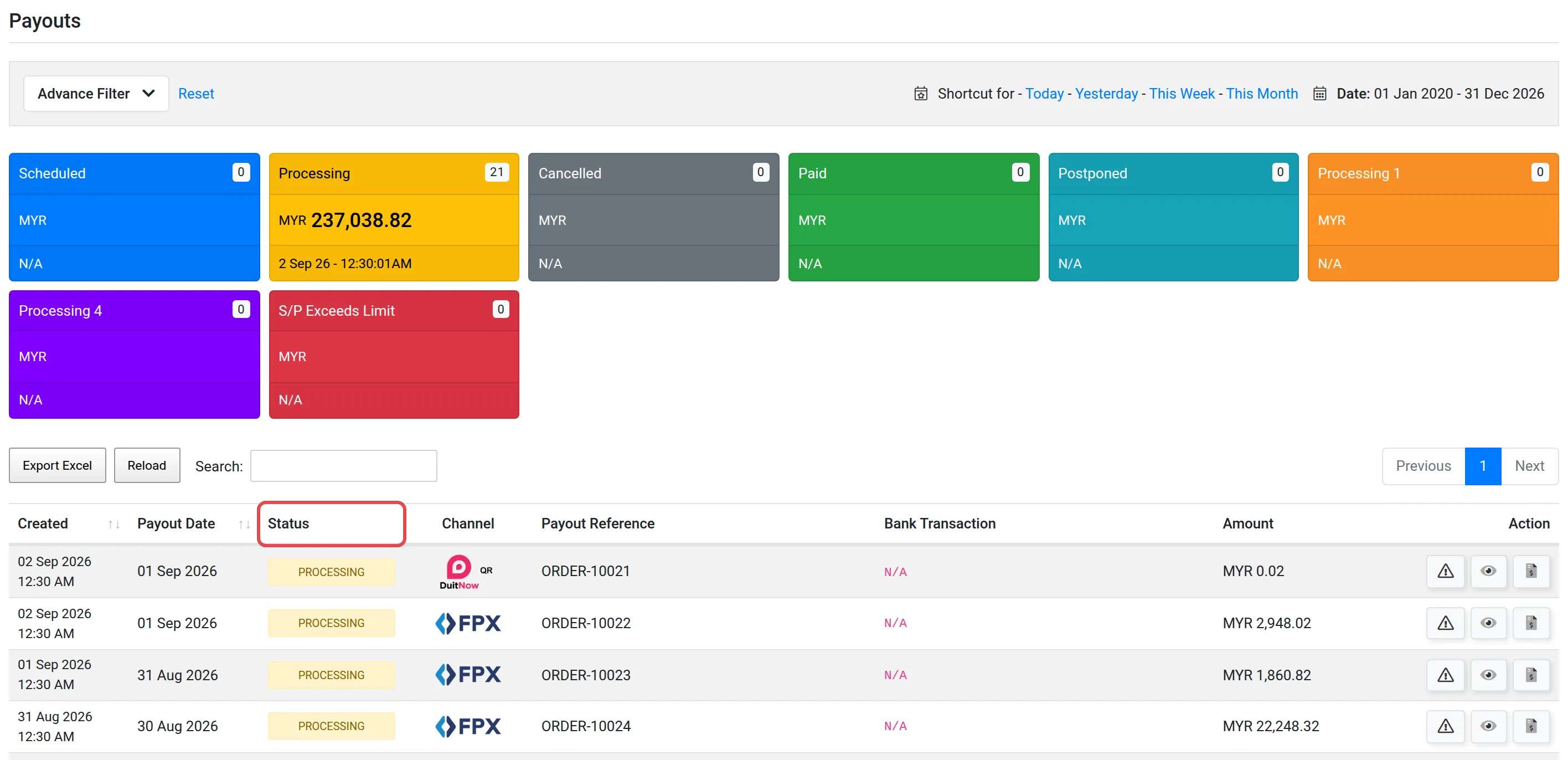
The page shows all your payouts with their current status.
Payout statuses
Section titled “Payout statuses”| Status | Meaning |
|---|---|
| Scheduled | Bayarcash is still receiving payments that will be included in this payout. The payout cutoff has not yet occurred. |
| Processing | The payout cutoff has passed. The batch is being processed and will be sent to your bank within 1-2 working days. |
| Processing 1 | Money is held at Bayarcash and will be transferred to your bank account within 1-2 working days. |
| Paid | The payout has been successfully sent to your bank account. |
Check the payout schedule. Payouts follow a fixed cutoff time and settlement schedule. See Payout schedule to know exactly when your next payout will be initiated.
Keep your bank account details up to date. Make sure your registered bank account in the merchant dashboard is correct. If the account details are wrong, payouts may fail or be delayed.
Other statuses need attention. The page can also show Cancelled, Postponed, Processing 4 and S/P Exceeds Limit. If a payout has one of these statuses, contact the Bayarcash team.
Common issues
When do I receive my money?
Payouts are processed on a T+2 working day basis. See Payout schedule for exact cutoff times and settlement dates.
Why is my payout still 'Processing'?
Processing payouts are in progress. They usually complete within 1-2 working days. If a payout stays in Processing for longer, contact support.
What does 'Scheduled' payout mean?
Scheduled means Bayarcash is still receiving payments that will be included in this payout batch.
Was this article helpful?
Thanks for your feedback.
Sorry this didn't help. WhatsApp us and we'll sort it out with you.