

Ask an AI about this page
 ChatGPT
 Claude
 Perplexity
 Google AI Mode
 Microsoft Copilot
 Grok
Grok Mistral Le Chat
Find your API keys and portal key
To connect a website, shop plugin or app to Bayarcash, you need three things from the merchant dashboard: a Personal Access Token (PAT), an API Secret Key and a Portal Key.
What each key does
Section titled “What each key does”Plugins and SDKs ask for these by name:
| Key | What it does | Where to find it |
|---|---|---|
| Personal Access Token (PAT) | Identifies your requests to Bayarcash | Profile → Integration |
| API Secret Key | Signs your requests and checks the replies (the checksum) | Profile → Integration |
| Portal Key | Says which portal receives the payment | Portals |
Get your PAT and API Secret Key
Section titled “Get your PAT and API Secret Key”Sign in to the merchant dashboard first. Then:
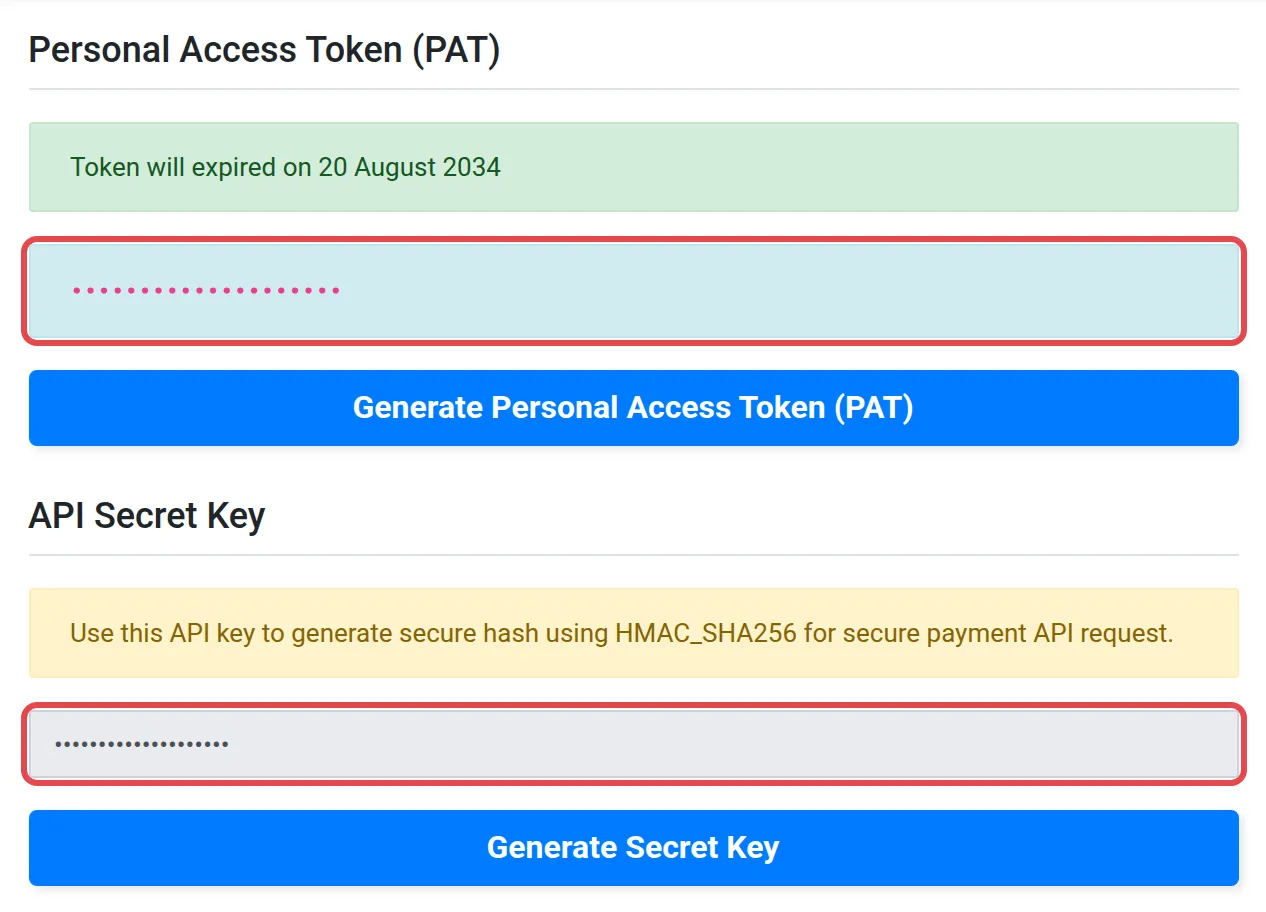
- At the top right of the merchant dashboard, choose Profile.
- Choose Integration.
- Copy your Personal Access Token (PAT) and your API Secret Key.
Get your Portal Key
Section titled “Get your Portal Key”Each portal has its own key. To copy it:
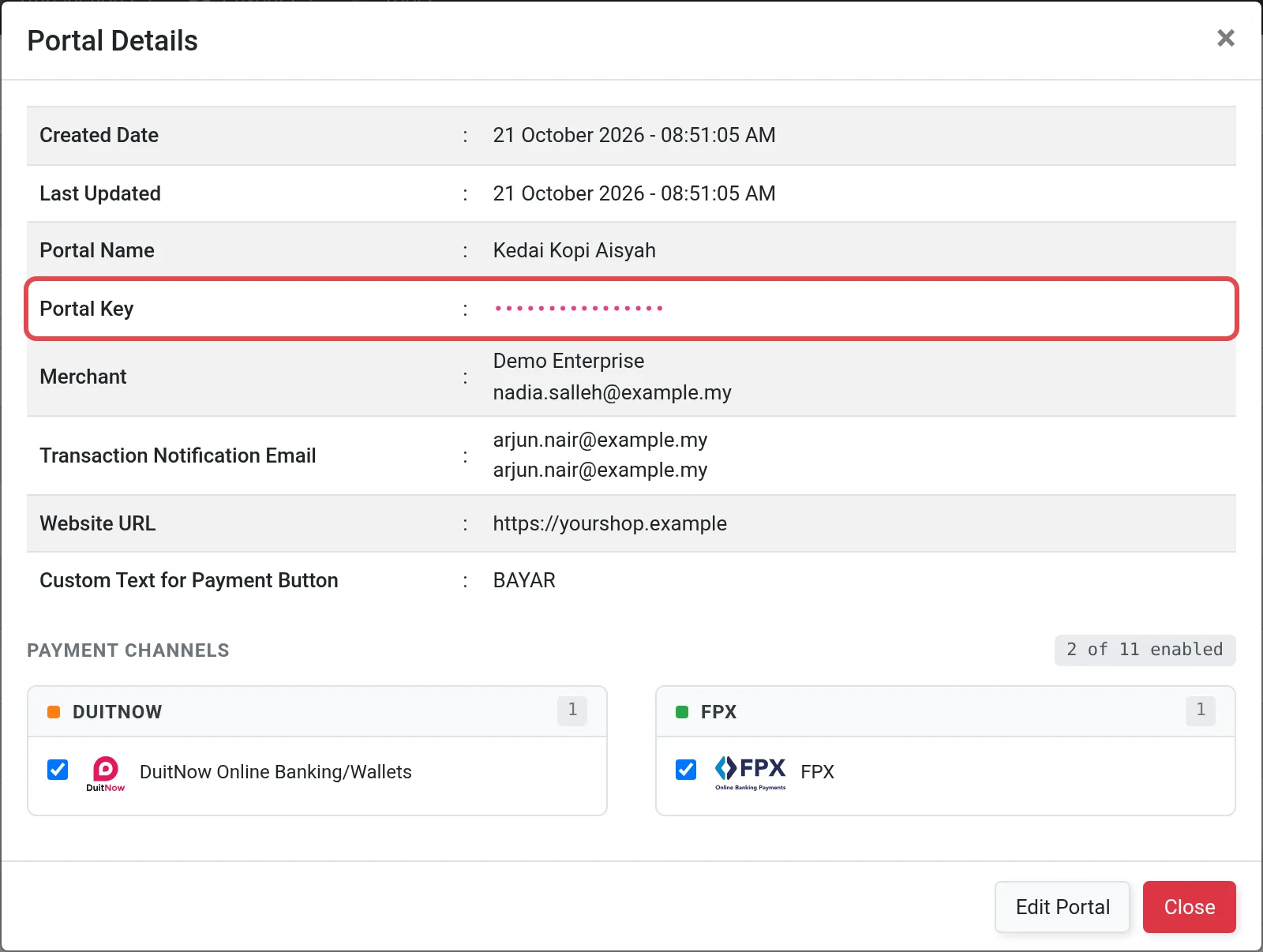
- At the top left of the merchant dashboard, choose Portals.
- Select the portal you want to use.
- Copy its Portal Key.
Need a new portal first? See Create and use portals.
Sandbox and live keys
Section titled “Sandbox and live keys”The sandbox merchant dashboard at console.bayarcash-sandbox.com issues its own separate keys for testing. Use sandbox keys only while testing, and live keys only for real payments.
For API details, see the Bayarcash API reference.
Common issues
Why does my plugin say the token or key is invalid?
Sandbox and live keys are different. A key from the sandbox merchant dashboard does not work on the live merchant dashboard, and the other way round. Copy all three from the same merchant dashboard you are connecting to.
Which key goes where?
The Personal Access Token (PAT) identifies you to Bayarcash. The Portal Key says which portal receives the payment. The API Secret Key is used for the checksum. Plugins and SDKs ask for each one by name.
I shared a key by mistake. What now?
Contact Bayarcash straight away through the Need more help? box at the bottom of the page. Do not post the key again, even to ask for help.
Was this article helpful?
Thanks for your feedback.
Sorry this didn't help. WhatsApp us and we'll sort it out with you.