

View pageas Markdown ChatGPT
 Claude
 Perplexity
 Google AI Mode
 Microsoft Copilot
 Grok
Grok Mistral Le Chat
Ask an AI about this page
ChatGPTClaudePerplexityGoogle AI ModeMicrosoft CopilotGrokMistral Le ChatExport data to Excel
You can export the data of a merchant dashboard module to an Excel file. Use it when you want your own copy, or want to work on the data in a spreadsheet.
Export your data
Section titled “Export your data”Sign in to the merchant dashboard first. Then:
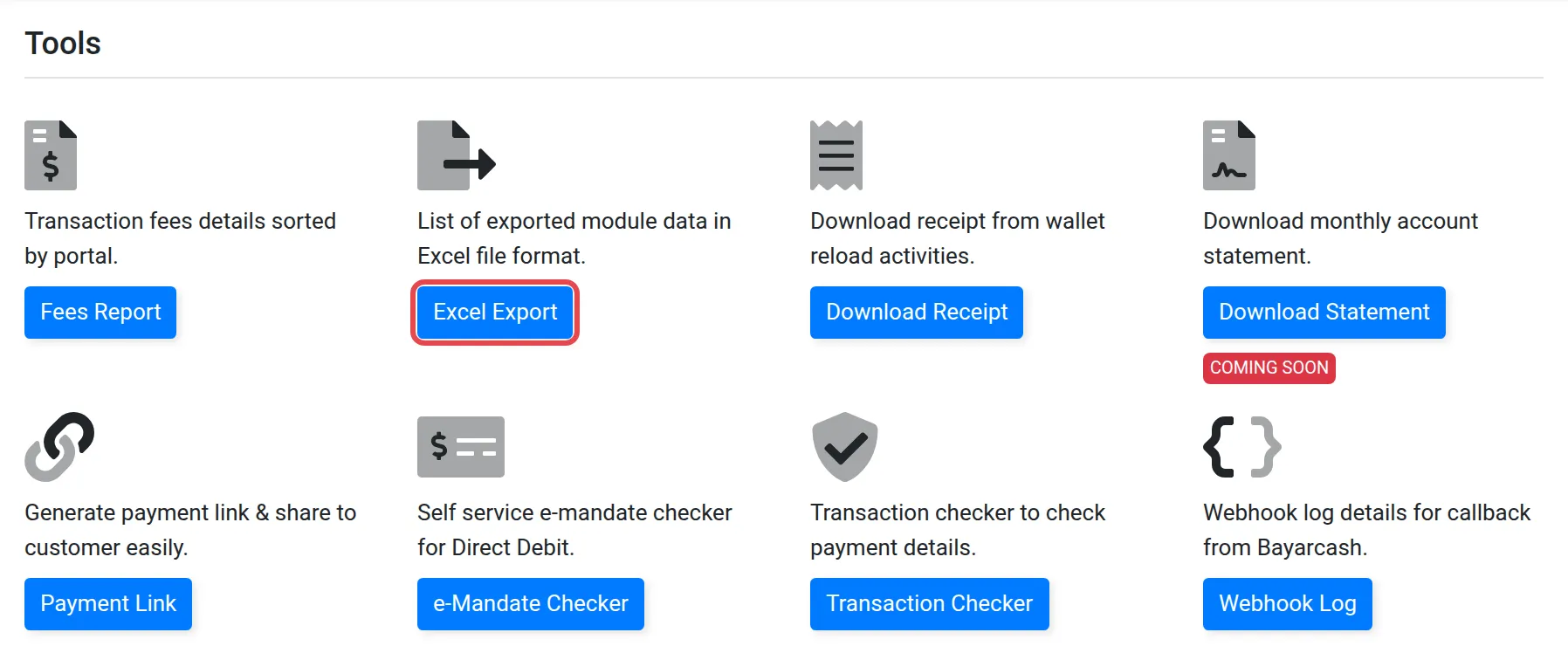
- In the top menu of the merchant dashboard, choose Tools.
- Choose Excel Export to export your module data in Excel format.
- The Excel Exports page opens and lists your exported files.
Rename, download or delete a file
Section titled “Rename, download or delete a file”On the Excel Exports page, each file has buttons. Use them to:
- Edit the file name.
- Download the file to your computer.
- Delete the file.

Common issues
Where do I find a file I exported earlier?
Choose Tools, then Excel Export. The Excel Exports page lists your exported files.
Can I remove an exported file?
Yes. On the Excel Exports page, use the delete button for that file.
Was this article helpful?
Thanks for your feedback.
Sorry this didn't help. WhatsApp us and we'll sort it out with you.